
Installation Guides

Below, you’ll find all the guides on how to set up IPTV on your specific device! If you ever encounter any difficulties, just shoot us a message, and we will help you.

How to Set Up IPTV on Any Device

XtremeHD IPTV UK is fully compatible with a wide range of devices, making it easy for you to enjoy live TV, sports, movies, and on-demand content wherever you are. Whether you prefer watching on a Smart TV, Firestick, smartphone, or tablet, we have a detailed setup guide to walk you through the process.

Available Installation Guides

Choose your device below and follow our step-by-step instructions to get started in minutes:

  • Amazon Firestick (IPTV Smarters Pro) – The most popular choice for IPTV streaming in the UK. Learn how to sideload and configure your XtremeHD subscription on Firestick using IPTV Smarters Pro.
  • Amazon Firestick (TiviMate) – TiviMate is a premium IPTV player with an elegant EPG and recording features. Follow our guide to set it up on your Firestick.
  • Amazon Firestick (Alternative App) – If you prefer a different player, we support multiple Firestick-compatible apps. Our alternative app guide covers everything you need.
  • Android Smartphone & Android Box – Set up XtremeHD IPTV on any Android device using Elk Player or your preferred IPTV app. Works on phones, tablets, and Android TV boxes.
  • iPhone, iPad & Apple TV – Complete setup guide for all Apple devices. Use Elk Player from the App Store to access your full channel list.
  • Samsung, LG & Android Smart TV – Get IPTV directly on your Smart TV’s big screen. Supports Samsung Tizen, LG webOS, and Android TV platforms.

Getting Your Subscription Activated

After installing your chosen IPTV app, simply send us your device’s MAC address or M3U login details via WhatsApp at +44 7401 410094. Our support team is available 24/7 and will activate your subscription within minutes. You don’t need any technical experience — we’ll guide you through every step.

Which Device is Best for IPTV?

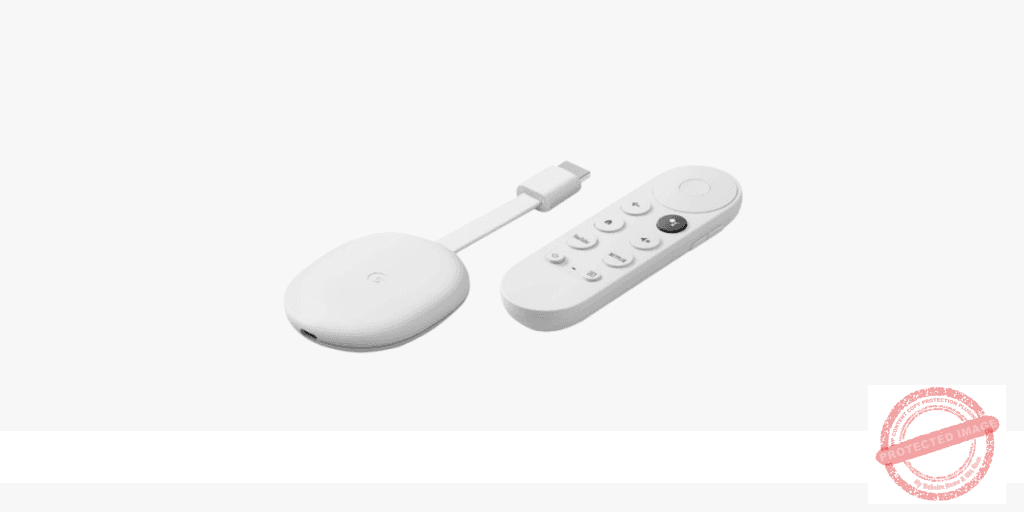
Amazon Firestick is ideal if you want a dedicated, affordable streaming device that plugs directly into your TV’s HDMI port. It supports HD and 4K streaming and is easy to set up.

Smart TV requires no additional hardware — if your TV has an app store, you can install an IPTV player directly. Samsung and LG Smart TVs are fully supported.

Android Box offers the most power and flexibility, supporting multiple apps, 4K playback, and advanced EPG features. Perfect for users who want the full Smart TV experience from any screen.

Smartphone (iOS & Android) is best for watching on the go. XtremeHD IPTV UK works seamlessly on mobile so you can enjoy live TV from anywhere with an internet connection.

Need Help?

If you’re having any difficulty setting up your IPTV service, our friendly UK-based support team is here 24/7. Reach us on WhatsApp at +44 7401 410094 and we’ll have you streaming in no time. You can also try our free 1-day IPTV trial before purchasing to make sure everything works perfectly on your device.

How to Set Up IPTV on Any Device

XtremeHD IPTV UK is fully compatible with a wide range of devices including Smart TVs, Amazon Fire Stick, Android TV boxes, smartphones, tablets, and computers. Our step-by-step installation guides make it easy to get started within minutes, regardless of your technical experience.

What You Need Before You Start

Before following any installation guide, make sure you have the following ready:

Quick Setup Guide

Step 1: Choose Your IPTV App
Select the best IPTV player for your device. Popular options include IPTV Smarters Pro, TiviMate, GSE Smart IPTV, and Perfect Player. Each app is available free from your device app store.

Step 2: Enter Your Credentials
Open the app and navigate to the add playlist or add account section. Enter your Xtream Codes API details — server URL, username, and password — exactly as provided in your welcome email. Alternatively, paste your M3U URL directly.

Step 3: Start Watching
Once your playlist loads, browse through thousands of UK and international channels, on-demand films, and TV series. Use the built-in EPG to see what is on and set reminders for your favourite shows.

Device-Specific Installation Guides

Every device has slightly different steps. Our detailed guides cover everything you need to know for each platform. Whether you are setting up IPTV on a Fire Stick for the first time or configuring TiviMate on an Android TV box, our guides walk you through every screen with clear instructions.

Frequently Asked Questions

Do I need to jailbreak or root my device?
No. XtremeHD IPTV works with standard, unmodified devices. Simply install a compatible IPTV app from the official app store and enter your login details.

Can I use XtremeHD IPTV on more than one device?
Yes. Depending on your subscription plan, you can use your account on one or more devices simultaneously. Multi-connection plans are available at checkout.

What if I get buffering?
Buffering is usually caused by a slow internet connection. Try connecting via Ethernet instead of Wi-Fi. Our servers are hosted in the UK for the lowest possible latency for British users.

Is there a free trial available?
Yes. XtremeHD IPTV UK offers a free trial so you can test the service before subscribing. Call us on +44 7401 410094 or visit our free trial page to get started.

Ready to get started? Browse our guides below for your device, or call +44 7401 410094 to speak with our support team.

Experience the ultimate in entertainment with Xtreme HD IPTV UK, the premier UK IPTV subscription. Immerse yourself in a vast selection of over 24,000 live TV channels and explore an extensive library of more than 140,000 on-demand videos. Enjoy seamless streaming, stunning Full HD quality, and stay updated with regular channel additions.

©2015-2025 XtremeHD IPTV UK – Buy IPTV UK subscription Made in 🇬🇧 with ♥️ and ☕